Setpoints by room
Dining, kitchen, and office can have their own target temperatures. In the Corner Grill demo, dining is set at 71–72°F, the kitchen holds 74°F for a hot line, and the office sits at 70°F. Those numbers are sample data.
Thermostats and sensors
They are related, but they are not the same device. The thermostat runs dining and kitchen HVAC. Fridge sensors watch walk-ins, reach-ins, and freezers. Figures in the demo are sample readings, not a live thermostat or sensor feed.
Photo: cottonbro studio / Pexels
Dining, kitchen, and office can have their own target temperatures. In the Corner Grill demo, dining is set at 71–72°F, the kitchen holds 74°F for a hot line, and the office sits at 70°F. Those numbers are sample data.
Before service it can pre-cool or pre-heat so guests do not walk into a stale room. After close it can set back the dining room automatically — in the demo, a 11:00 PM setback toward 65°F dining / 68°F kitchen — so you are not conditioning an empty room all night.
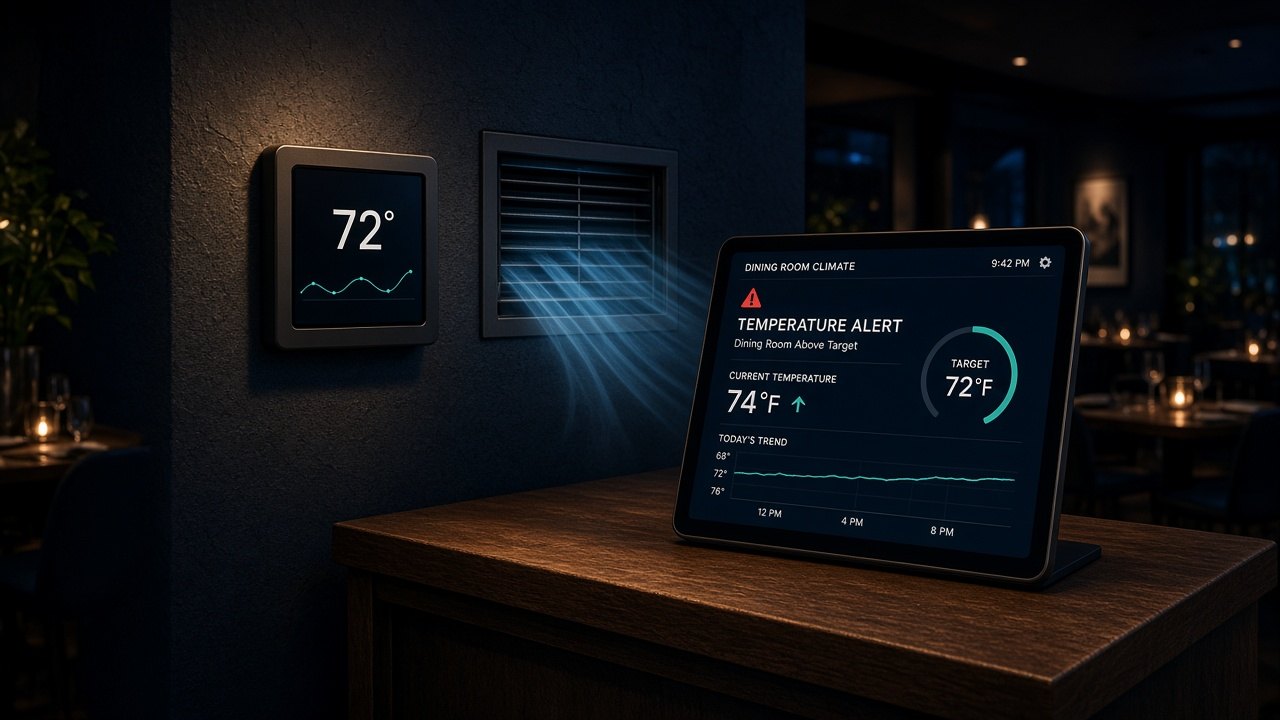
If dining drifts above the target (the illustration shows 74°F versus a 72°F target), DASH can push an alert like the other tiles do for a warm fridge. You acknowledge it, adjust the setpoint, or wait to see if the room recovers. Nothing in the demo contacts a real phone.
A setback at close is meant to cut HVAC runtime. Any kWh or dollar figures you see in the demo are conservative sample estimates for a small dining room, not measured customer savings and not a guarantee.
The Smart Thermostat tile lives in Safety & Equipment in the live demo. You can apply tonight’s setback there; it only changes the sample data on your device.
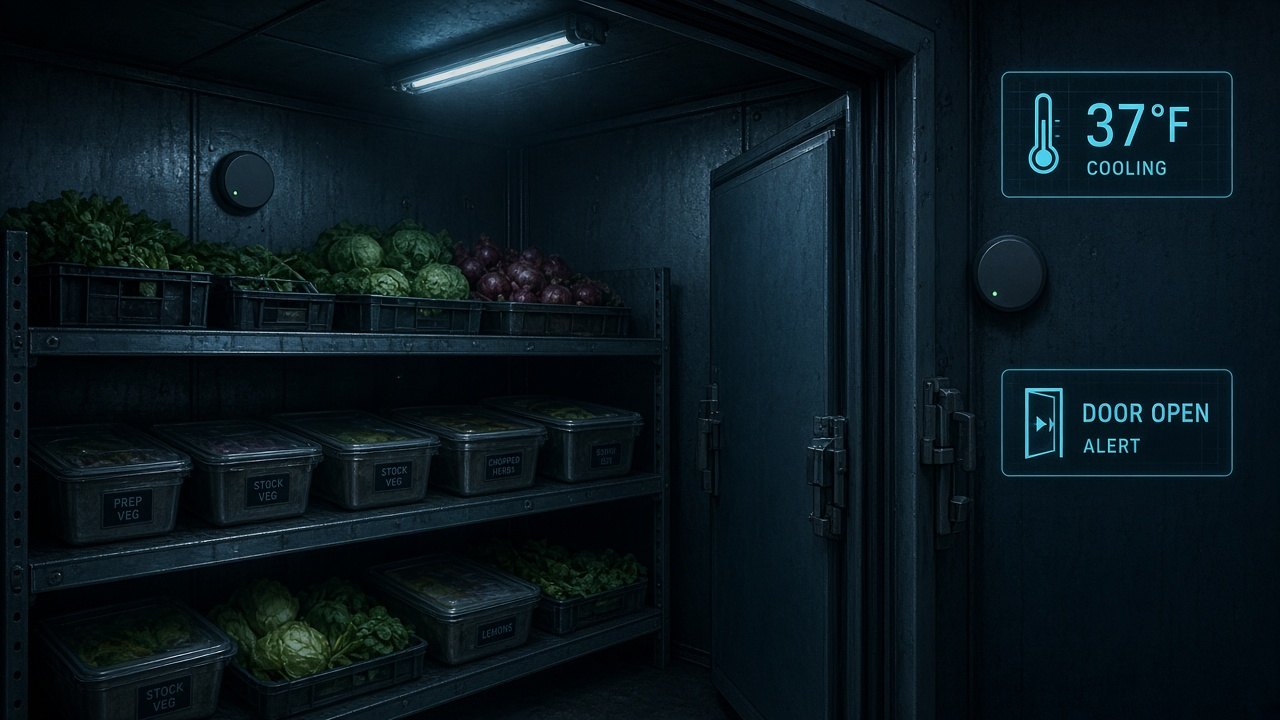
Each walk-in, reach-in, bar cooler, and freezer can have a sensor with a limit — typically 41°F for refrigeration and well below freezing for a freezer. The demo watches Walk-in (37°F), Reach-in 1 (38°F), Reach-in 2 (a 44°F warning when the fridge alert is on), Freezer (−2°F), and the bar cooler (36°F).
If Reach-in 2 crosses 41°F, DASH can show a fridge notification and a badge on Fridge Sensors. You open the tile, see the last hour of readings, and assign a check or a repair. The demo notification is a simulation; it does not send a real SMS.
Sensors can keep a time-stamped log of each box. That is meant to support the temperature records many health departments expect, so a manager is not relying only on a clipboard at open. The demo shows a sparkline for Reach-in 2, labeled as a sample reading, not a live probe.
A door sensor or a fast temperature rise after a door swing can raise a door-open alert — as in the walk-in illustration. That is how a box running warm often starts: the door never latched after a drop-off, not a failed compressor. EVA’s rear-door camera can complement this for exits that are not coolers.
The thermostat is about comfort and energy in rooms people occupy. The fridge sensors are about food safety in cold storage. EVA cameras add eyes for stock, the pass, and doors. All three report into Safety & Equipment on DASH so a closing manager is not flipping between a thermostat app, a sensor app, and a camera app.